=== ANCHOR POEM ===
════════════════════════════════════════════════════════───────────────────────────
 ┌─────────────────────────────┐
 │ CW: re: computers-mentioned │
 └─────────────────────────────┘


 #!/bin/bash
 set -euo pipefail

 CHAPEL_DIR="/home/ritz/programming/chapel"
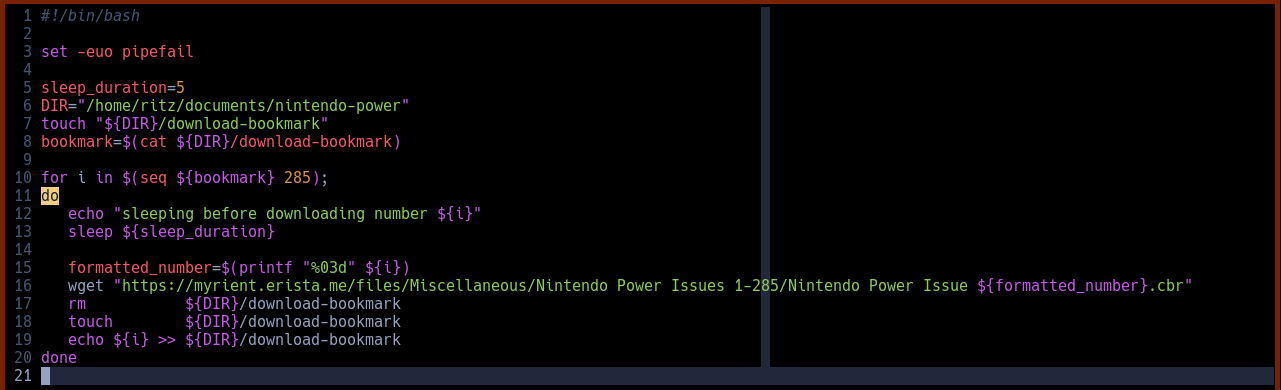
 COMPILER_DIR="${CHAPEL_DIR}/language-files/files/chapel-2.1.0"
 PROJECT_DIR="${CHAPEL_DIR}/projects/practice"
 SOURCE_DIR="${PROJECT_DIR}/src"

 clear

 cd "${COMPILER_DIR}" > /dev/null
    export CHPL_LLVM=system
    source "${COMPILER_DIR}/util/setchplenv.bash" > /dev/null
 cd - > /dev/null

 cd "${PROJECT_DIR}" > /dev/null
    echo "compiling..."
    chpl "${SOURCE_DIR}/main.chpl"
    clear
    ./main
 cd - > /dev/null


 you should update the directories at the top yourself, of course. And give it
 a cursory glance to make sure it works on your setup.
┌─────────┐                                                           ┌───────────┐
│ similar │                       chronological                       │ different │
╘═════════╧╧═════════════════════════════════════════════════──────────────────────────┘

=== SIMILARITY RANKED ===

--- #1 fediverse/3878 ---
══════════════════════════════════════════════════════════─────────────────────────
 @user-570

 that's not actually my script, here's the real one:#!/bin/bash

 alias cd="cd-improved"

 function cd-improved(){

     if [ "${1}" = "..." ] ; then
         builtin cd .. && builtin cd ..
     elif [ "${1}" = "...." ] ; then
         builtin cd .. && builtin cd .. && builtin cd ..
     elif [ "${1}" = "....." ] ; then
         builtin cd .. && builtin cd .. && builtin cd ..
         && builtin cd ..

     elif [ -d "./${1}" ] ; then
         local target_dir="./${1}"

     elif [ "${1}" = "cdir" ] ; then
         local target_dir="$(tail -n 1 '/home/ritz/scripts/.cdir-target')"
         echo ${target_dir}


     else
         local target_dir="${1}"
     fi

     if [ ! "${2}" = '--no-ls' ] ; then
         builtin cd "${target_dir}" && ls -v --color=auto
     else
         builtin cd "${target_dir}"
     fi
 }
┌─────────┐                                                           ┌───────────┐
│ similar │                       chronological                       │ different │
╘═════════╧╧═══════════════════════════════════════════════════────────────────────────┘

--- #2 fediverse/5851 ---
══════════════════════════════════════════════════════════════════════════─────────
 @user-1074

 I realized there might be a lot of configuration required. Oh well here ya go:

 https://pastebin.com/x40VXQnH

 https://pastebin.com/H5C4umWq

 https://pastebin.com/dgDeS5Xu

 https://pastebin.com/JCLrwF1z

 https://pastebin.com/As6diaYc

 https://pastebin.com/0vwzJUW4

 https://pastebin.com/jPKeV7D1

 dependencies are dkjson.lua (included), bash, lua, luahpdf, and libharu.

 throw that all in a directory and point an AI tool at it. Or just do it
 yourself and waste an hour or three on something a computer can do in 2
 minutes.

 good luck it looks like this when it's done:
┌─────────┐                                                           ┌───────────┐
│ similar │                       chronological                       │ different │
╘═════════╧╧═══════════════════════════════════════════════════════════════════────────┘

--- #3 fediverse/3587 ---
════════════════════════════════════════════════════════───────────────────────────
 ┌─────────────────────────────┐
 │ CW: re: computers-mentioned │
 └─────────────────────────────┘


 I realized that script was bugged, so... here's a better one. Plus a fun run
 script too!#!/bin/bash
 set -euo pipefail

 DIR="/home/ritz/programming/chapel/language-files"
 VER="2.1.0"
 FIL="chapel-${VER}.tar.gz"
 URL="https://github.com/chapel-lang/chapel/releases/download/${VER}/${FIL}"
 NUM_THREADS="16"

 touch     ${DIR}/files
 rm    -dr ${DIR}/files
 mkdir -p  ${DIR}/files

 wget --output-document ${DIR}/${FIL} ${URL}

 tar xf ${FIL} --directory=${DIR}/files
 rm ${FIL}

 cd ${DIR}/files/chapel-${VER}

    export CHPL_LLVM=system
    source ${DIR}/files/chapel-${VER}/util/setchplenv.bash

    make -j${NUM_THREADS}


    echo "now testing, to validate LLVM configuration as suggested in the docs:"
    chpl "./examples/hello3-datapar.chpl"
    ./hello3-datapar

    echo "the chapel programming language is now fully installed! Have fun!"

 cd -
┌─────────┐                                                           ┌───────────┐
│ similar │                       chronological                       │ different │
╘═════════╧╧═════════════════════════════════════════════════──────────────────────────┘

--- #4 fediverse/5398 ---
╔═════════════════════════════════════════════════════════════════════─────────────┐
║ @user-192                                                                        │
║                                                                                  │
║ step one, doesn't it suck how we have to mount drives                            │
║                                                                                  │
║ part two, gee I sure wish networking was easier than building packets in C and   │
║ pushing them over IP/TCP                                                         │
║                                                                                  │
║ section three, what if every user logged in to the same system of environments   │
║ and kept all their data to themselves while contributing compute to various      │
║ valuable processing processes like windfall calculations and population          │
║ density administrations                                                          │
║                                                                                  │
║ book four, I wish I didn't have to type -p now when telling my computer          │
║ goodnight, I should write a script that solves that in like 4 lines two of       │
║ which are empty                                                                  │
║                                                                                  │
║ what about five, where they talk about sourcing functions?                       │
║                                                                                  │
║ I like to use recursion - calling my own functions inside of my own bash         │
║ scripts                                                                          │
║                                                                                  │
║ "something something modularity" okay docker bro like I'd really package up      │
║ anything that I'm working on                                                     │
║                                                                                  │
║ I mean really who really cares about how I set up the infrastructure of my       │
║ system. it's gonna be unique to each person's memory of setting it up anyway,    │
║ so why bother with "standardization"                                             │
╟─────────┐                                                            ┌───────────┤
║ similar │                       chronological                       │ different │
╚═════════╧══════════════════════════════════════════════════════════──┴──────────┘

--- #5 notes/environment-variables ---
═══════────────────────────────────────────────────────────────────────────────────
 To edit environment variables:

 ~/.bashrc is for variables only accessible by the user.

 /etc/profile is for variables accessible by all users.

 /etc/environment is for variables accessible by anyone.
┌─────────┐                                                           ┌───────────┐
│ similar │                       chronological                       │ different │
╘══════───┴╧───────────────────────────────────────────────────────────────────────────┘

--- #6 fediverse/4869 ---
════════════════════════════════════════════════════════════════───────────────────
 https://cryptpad.fr/pad/#/2/pad/view/FlA92SW5bVwGd+L89yV9U0I0SMNiGm3P0P3xS7DqYm
 A/embed/
┌─────────┐                                                           ┌───────────┐
│ similar │                       chronological                       │ different │
╘═════════╧╧═════════════════════════════════════════════════════════──────────────────┘

--- #7 notes/vim-plugins ---
══════════─────────────────────────────────────────────────────────────────────────
 Put them here: /home/ritz/.local/share/nvim/site/pack/CATEGORY/start/NAME

 where CATEGORY is a general package category and NAME is the specific plugin

 If you don't want them to be automatically included then don't put them in the
 /start/ folder, put them somewhere else idk
┌─────────┐                                                           ┌───────────┐
│ similar │                       chronological                       │ different │
╘═════════┴╧═══────────────────────────────────────────────────────────────────────────┘

--- #8 fediverse/3162 ---
═══════════════════════════════════════════════════════────────────────────────────
 I wrote a script which scrapes every issue of Nintendo Power from a neat and
 cool archive.

 please don't use it all at once#!/bin/bash

 set -euo pipefail

 sleep_duration=5
 DIR="/home/ritz/documents/nintendo-power"
 touch "${DIR}/download-bookmark"
 bookmark=$(cat ${DIR}/download-bookmark)

 for i in $(seq ${bookmark} 285);
 do
    echo "sleeping before downloading number ${i}"
    sleep ${sleep_duration}

    formatted_number=$(printf "%03d" ${i})
    wget "https://myrient.erista.me/files/Miscellaneous/Nintendo Power Issues
    1-285/Nintendo Power Issue ${formatted_number}.cbr"
    rm           ${DIR}/download-bookmark
    touch        ${DIR}/download-bookmark
    echo ${i} >> ${DIR}/download-bookmark
 done
┌─────────┐                                                           ┌───────────┐
│ similar │                       chronological                       │ different │
╘═════════╧╧════════════════════════════════════════════════───────────────────────────┘

--- #9 fediverse/4596 ---
═════════════════════════════════════════════════════════════──────────────────────
 @user-1707

 hey, I'm working on a project. Might need some python, I tend to prefer Lua
 but it's pretty similar. It uses fediverse software and cheap hardware, think
 raspberry pi's except risc-v

 also it might use distributed local LLMs not to generate text, that's garbo
 and lame and stupid. Instead it uses them to transform text, maybe even
 translate text, into a more summarized form. Intentionally losing data, like a
 jpeg compression but for text.

 Might need some python for that. To glue it all together. The "distributed"
 part is a whitelist, so we'd need to write that too. Various small little
 utilities like that for connectivity.

 oh also there's a one-way ethernet cable that connects two of the boards so
 we'd need to store some information (easy) and send some UDP packets (hard)

 anyway it's pretty neat, lmk if you want my contact details and I can tell you
 about it. I might even be able to pay you.

 (everything open source, no telemetry, no backdoors, everything private is
 encrypted, etc etc)
┌─────────┐                                                           ┌───────────┐
│ similar │                       chronological                       │ different │
╘═════════╧╧══════════════════════════════════════════════════════─────────────────────┘

--- #10 notes/services ---
══════════─────────────────────────────────────────────────────────────────────────
 # Create a symlink to the service directory in /var/service:

 sudo ln -s /etc/sv/<service> /var/service/

 # If you want to disable a service, create an empty file named "down" in the
 # sevice's directory:

 touch /etc/sv/<service/down

 # ^^^ That will disable services that automatically start.

 # That's a temporary solution though, if you want a more intense approach then
 # sever the symlink.

 rm /var/service/<service>

 # If you want to test if a service is working correctly, first take it down
 # temporarily, then re link the two directories. Then start the service once:

 touch /etc /sv/<service/down
 ln -s /etc/sv/<service> /var/service/
 sv once <service>

 # Then, if it works, remove the "down" file to enable the service:

 rm /etc/sv/<service>/down
┌─────────┐                                                           ┌───────────┐
│ similar │                       chronological                       │ different │
╘═════════┴╧═══────────────────────────────────────────────────────────────────────────┘

--- #11 fediverse/6345 ---
═════════════════════════════════════════════════════════════════════════════──────
 anytime I want to do something new on my computer, I write a bash script.

 if I forgot how to do the thing, I spend time meandering about my
 file-directory-system. If I don't find it, that's okay, because all I have to
 do is keep looking until I stumble upon it.

 kinda makes me wish I had an LLM who managed the operating system and named
 files with long-and-descriptive titles while taking in as context the general
 eternal prompt stored in ~/.claude.md or wherever

 --> /home/ritz/programs/cloud-code/
┌─────────┐                                                           ┌───────────┐
│ similar │                       chronological                       │ different │
╘═════════╧╧══════════════════════════════════════════════════════════════════════─────┘

--- #12 fediverse/2622 ---
══════════════════════════════════════════════════════─────────────────────────────
 what kind of linux user are you if you don't even like reading terminal
 output? it's USEFUL and INTERESTING information!

 WHY ELSE WOULD THE PROGRAMMER OUTPUT IT???
┌─────────┐                                                           ┌───────────┐
│ similar │                       chronological                       │ different │
╘═════════╧╧═══════════════════════════════════════════════────────────────────────────┘

--- #13 messages/69 ---
═════════──────────────────────────────────────────────────────────────────────────
 https://blog.discord.com/how-discord-stores-billions-of-messages-7fa6ec7ee4c7
 https://news.ycombinator.com/item?id=20178267
 sendinblue
 open source google docs alternative
 https://hackea.org/notas/index.html#
 https://thenftbay.org/description.html
 https://digital-strategy.ec.europa.eu/en/library/study-about-impact-open-source
 -software-and-hardware-technological-independence-competitiveness-and
 https://joinup.ec.europa.eu/collection/open-source-observatory-osor/document/co
 mplex-singularity-versus-openness

┌─────────┐                                                           ┌───────────┐
│ similar │                       chronological                       │ different │
╘════════─┴╧══─────────────────────────────────────────────────────────────────────────┘

--- #14 fediverse/5950 ---
══════════════════════════════════════════════════════════════════════════─────────
 @user-138

 wao I'm a cool kid _^

 Hmmmm I googled "Network: file exists" and got this link:
 https://access.redhat.com/solutions/1340713

 my understanding of that is that maybe you're creating static routes, and for
 some reason you're trying to create one that already exists? Maybe there's
 something in your .bashrc config, if the file appears when you open a
 terminal, or perhaps if it appears randomly then maybe there's a service or
 something that's doing it.

 Did you say it stopped when you swapped sim cards? ... on your phone? that's
 bizzare... Maybe you were trying to create an ip route (whatever that is) that
 was pointing to the same ip address as your phone? and when you swapped sims
 it changed the ip address? If it appears again, maybe try setting static IP
 addresses for both the phone and the computer in your router settings and see
 if that fixes it. Though if you've ever seen the error while out and about at
 like, a coffee shop or library or whatever, then that wouldn't apply since the
 router is only for home base...
┌─────────┐                                                           ┌───────────┐
│ similar │                       chronological                       │ different │
╘═════════╧╧═══════════════════════════════════════════════════════════════════────────┘

--- #15 fediverse/1868 ---
╔════════════════════════════════════════════════════──────────────────────────────┐
║ whyyyyyy do programs create all these dot-folders in my home directory? It's     │
║ sooooo crowded. Why are they always putting things in random directories like    │
║ /usr/bin or /lib/ or things like that? I'd much prefer to be able to trust       │
║ that all my files are in one directory, so if I need to DELETE or MOVE them      │
║ easily I don't have to worry about my config files being lost / sticking         │
║ around.                                                                          │
║                                                                                  │
║ to that end, I always try and configure software I install on my system to put   │
║ all their files into a single directory. If possible.                            │
║                                                                                  │
║ Usually for like, a game, this involves having a directory for the project, a    │
║ directory for the files (things that are deleted and recreated when              │
║ reinstalling), a directory for config files, and usually an update script and    │
║ a run script. It's so much nicer to not be clogged up all the time.              │
║                                                                                  │
║ industry standards apply primarily to industrial uses, and if they aren't        │
║ customizable then they aren't fit for the industry. So why not keep things       │
║ simple? I don't need all this junk cluttering up my desktop.                     │
╟─────────┐                                                            ┌───────────┤
║ similar │                       chronological                       │ different │
╚═════════╧═════════════════════════════════════════───────────────────┴──────────┘

--- #16 fediverse/1867 ---
═════════════════════════════════════════════════════──────────────────────────────
 I like writing updaters!!

 #!/bin/bash
 set -euo pipefail

 #FIXME
 GAME_DIR="/home/ritz/games/mtg-forge"
 FILES_DIR="${GAME_DIR}/files"
 RES_DIR="${GAME_DIR}/resources"

 mkdir -p "${FILES_DIR}"
 rm -dr "${FILES_DIR}"
 mkdir "${FILES_DIR}"

 mkdir -p "${RES_DIR}"
 mkdir -p "${RES_DIR}/cache"
 mkdir -p "${RES_DIR}/userdir"

 wget -r -l1 --no-parent -P "${FILES_DIR}" -A 'forge-gui-desktop*.tar.bz2'
 "https://downloads.cardforge.org/dailysnapshots/"

 mv
 ${FILES_DIR}/downloads.cardforge.org/dailysnapshots/forge-gui-desktop*.tar.bz2
 "${FILES_DIR}"
 rm -d "${FILES_DIR}/downloads.cardforge.org/dailysnapshots/"
 rm -d "${FILES_DIR}/downloads.cardforge.org/"

 cd "${FILES_DIR}"
 tar xvjf ${FILES_DIR}/forge-gui-desktop*.tar.bz2
 cd -

 cp "${FILES_DIR}/forge.profile.properties.example"
 "${FILES_DIR}/forge.profile.properties"
 sed -i "/[#]/ s/(userDir=)./\1${RES_DIR//\//\/}\/userdir\//"
 "${FILES_DIR}/forge.profile.properties"
 sed -i "/[#]/ s/(cacheDir=)./\1${RES_DIR//\//\/}\/cache\//"
 "${FILES_DIR}/forge.profile.properties"

 echo "download complete"
┌─────────┐                                                           ┌───────────┐
│ similar │                       chronological                       │ different │
╘═════════╧╧══════════════════════════════════════════════─────────────────────────────┘

--- #17 fediverse/4218 ---
═══════════════════════════════════════════════════════════────────────────────────
 there are plenty of pieces of linux that are insecure in some way. Including
 x11, if I remember correctly. It is purely convention to not abuse these
 insecurities, and whenever you use someone else's binary software you trust
 that they won't betray you in some way.

 pre-built binaries are privacy violations and should be illegal. They are
 security threats because the model they're built upon is necessarily insecure.
 Computers will never be completely secure because of how they are built, and
 so we should use locally compiled software and interpreted scripts.

 Unless they're too long, or impossible to read. Who reads EULAs these days? At
 least those are written in english.

 maybe computers aren't worth it. Maybe computers will solve all our problems.
 Who can say, maybe you should ask an oracle like me

 though do remember that anything you hear can and will be used against you,
 monkey's paw style. So maybe, like... don't? unless you're into magic or
 schizophrenia or something

 I wnt 2 be cute and tch cpus
┌─────────┐                                                           ┌───────────┐
│ similar │                       chronological                       │ different │
╘═════════╧╧════════════════════════════════════════════════════───────────────────────┘

--- #18 fediverse/582 ---
═════════════════════════════════════════════──────────────────────────────────────
 @user-431

 I made an alias that overwrites cd so I don't have to do this. The important
 line is line 27, you could probably accomplish something similar like this:

 alias cd="cd ${1} && ls -v --color=auto"

 I also set it up so I can change more than one directory up using ... or ....
 or .....

 also I have a few shortcut scripts, cdir and qcd. cdir creates a quick way to
 drop a bookmark wherever I'd like, while qcd can make permanent bookmarks.
 Also qcd makes it so whenever I open a new terminal it opens to the last
 directory I was in, which is nice if you need a new terminal to do something
 in the current folder and you don't want to have to walk alllllllll the way
 back.
![A BASH script that overwrites the built in "change directory" command to auto magically list the contents of the directory you've moved into after moving. here's the content of the script: #!/bin/bash alias cd="cd-improved" function cd-improved(){ if [ "${1}" = "..." ] ; then builtin cd .. && builtin cd .. elif [ "${1}" = "...." ] ; then builtin cd .. && builtin cd .. && builtin cd .. elif [ "${1}" = "....." ] ; then builtin cd .. && builtin cd .. && builtin cd .. && builtin cd .. elif [ -d "./${1}" ] ; then local target_dir="./${1}" elif [ "${1}" = "cdir" ] ; then local target_dir="$(tail -n 1 '/home/ritz/scripts/.cdir-target')" echo ${target_dir} else local target_dir="${1}" fi if [ ! "${2}" = '--no-ls' ] ; then builtin cd "${target_dir}" && ls -v --color=auto else builtin cd "${target_dir}" fi # if the qcd function is defined if declare qcd > /dev/null; then quick_cd -d DEFAULT quick_cd -a DEFAULT fi }](/similar-different/media/4c047b2f98f05b5b.png "A BASH script that overwrites the built in \"change directory\" command to auto magically list the contents of the directory you've moved into after moving. here's the content of the script: #!/bin/bash alias cd=\"cd-improved\" function cd-improved(){ if [ \"${1}\" = \"...\" ] ; then builtin cd .. && builtin cd .. elif [ \"${1}\" = \"....\" ] ; then builtin cd .. && builtin cd .. && builtin cd .. elif [ \"${1}\" = \".....\" ] ; then builtin cd .. && builtin cd .. && builtin cd .. && builtin cd .. elif [ -d \"./${1}\" ] ; then local target_dir=\"./${1}\" elif [ \"${1}\" = \"cdir\" ] ; then local target_dir=\"$(tail -n 1 '/home/ritz/scripts/.cdir-target')\" echo ${target_dir} else local target_dir=\"${1}\" fi if [ ! \"${2}\" = '--no-ls' ] ; then builtin cd \"${target_dir}\" && ls -v --color=auto else builtin cd \"${target_dir}\" fi # if the qcd function is defined if declare qcd > /dev/null; then quick_cd -d DEFAULT quick_cd -a DEFAULT fi }")
┌─────────┐                                                           ┌───────────┐
│ similar │                       chronological                       │ different │
╘═════════╧╧══════════════════════════════════════─────────────────────────────────────┘

--- #19 fediverse/928 ---
═══════════════════════════════════════════════────────────────────────────────────
 @user-226

 especially if you teach them how to use the terminal.

 the amount of problems I could solve increased exponentially once I learned
 basic python and BASH.

 I love using "tldr", which is a summarizer for man pages. You can use it to
 store custom notes (and import some from the community) which show you how to
 complete common tasks. It's so nice when you can see the options laid out in
 use right there for you whenever you type "tldr " - I personally use
 "tealdeer" which is a tldr browser written in Rust. It's pretty nice because
 you can write a note for yourself every time you solve a particular problem,
 and then if you ever need to do it again it's there for you, easy to access.

 of course, if your problem isn't listed, that's okay. That's what the man
 pages are for. As long as you teach them how to search with \/ they can find
 anything. Especially the \/-f[space] trick, to search for the -f flag for
 example.

 some organizers won't need the terminal, some will. if they pay attention,
 great!
┌─────────┐                                                           ┌───────────┐
│ similar │                       chronological                       │ different │
╘═════════╧╧════════════════════════════════════════───────────────────────────────────┘

--- #20 fediverse/3890 ---
══════════════════════════════════════════════════════════─────────────────────────
 Linux is great! It can do anything you want it to.

 Except that thing you want it to do. Why don't you go fix it? It's not hard,
 all you have to do is run these configure files or operate this doohickey and
 BAM suddenly you got apes writing machine gun regulation software

 [I don't think those two things are related]
┌─────────┐                                                           ┌───────────┐
│ similar │                       chronological                       │ different │
╘═════════╧╧═══════════════════════════════════════════════════────────────────────────┘
|